
AI can help you achieve your Star Trek dream?
The popular news portals have been buzzing with activity in recent weeks. The reason: JetBrains has worked intensively over the past few months to expand its AI capabilities in various products – including in IntelliJ. There you will now find a new AI called "„June“: a programming agent that is supposed to be able to solve tasks autonomously. Accompanying this is the promising slogan: „Delegate your tasks, focus on the results.“
This vision largely aligns with my own idea of how we will work in the future. As a long-time Trekkie, I always envied Jordie La Forge and Data for their collaboration on the computer, where they could analyze code and data and start and stop entire programs using simple voice commands. Today, this path seems more realistic than ever. While various, still experimental approaches like "Vibe Coding" exist, with significant shortcomings, especially in debugging, development is progressing. This raises the question: Are we developers already doomed? How realistic is it to be replaced by an AI like Junie?
IntelliJ is an integrated development environment from JetBrains. It was primarily developed for Java development, but it also supports other programming languages. IntelliJ offers tools for code editing, debugging, refactoring, version control, and build automation.
But now to the main point! After starting IntelliJ and installing the Junie plugin, the following welcome screen appears:
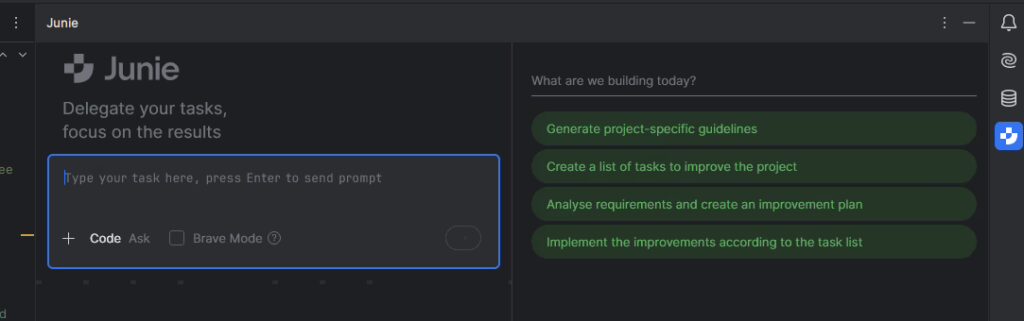
My project - The development of "Spring Factory" with the help of Junie
To briefly outline the project scope: I'm planning to develop a Spring Boot backend and Angular frontend application called "SpringFactory". This tool is intended to simplify the administration of agile software development teams and thus pursue two goals simultaneously:
On the one hand, I need such a tool for my own work so that I don't have to constantly monitor my team members in detail, for example regarding time tracking and entering points from the last sprint. Instead, I want to manage these processes via a central tool.
The project team should be able to log in and easily confirm sprints. After a sprint, all team members should receive a reminder every three days. Once all tasks have been accepted, an email should be automatically sent to the billing department, which will then handle invoicing the clients.
This tool offers extensive expansion possibilities. Personally, I'm intrigued by the idea of voice-controlled time tracking; however, that's a project for the future. Currently, I'm focusing on the two core functions mentioned. We can then explore together what other suggestions might arise.
Let's get started - From prompt to implementation
This brings us to the crux of the matter! What happens when we translate these requirements into English and hand them over to Junie AI for processing?
I want to develop a full-stack application called „SpringFactory“ using Spring Boot for the backend and Angular for the frontend. The app will assist with the administration of agile software development teams.
The application should use MariaDB as the database.
The Angular frontend should integrate PrimeNG for UI components.
The main goals of this tool are:
Reduce micromanagement by allowing team members to self-manage sprint data. I want to avoid checking manually whether time and story points were entered after each sprint.
Sprint confirmation: Team members should be able to log in and confirm completed sprints easily.
Automated reminders: Every team member should receive a reminder every 3 days if the sprint has ended and not all confirmations are done.
Automated invoicing: Once a sprint is fully approved, an automatic email should be sent to the billing department, so they can proceed with invoicing the customer.
The aspect that initially interested me most was how Junie would structure the application. Here is a brief overview of the overall plan developed by Junie:
Set up the Spring Boot backend project structure
Create a Maven/Gradle project configuration
Set up Spring Boot application with necessary dependencies
Create proper directory structure for the project
Configure MariaDB connection
Create domain models for sprints, team members, etc.
Implement REST controllers for the required functionality
Set up the Angular frontend project structure
Create Angular application structure
Create package.json with Angular and PrimeNG dependencies
Create Angular configuration files
Implement core features
User authentication and authorization
Sprint management (creation, updating, confirmation)
Connect frontend and backend
Configure CORS
Implement API calls from Angular to Spring Boot
At first glance, this looks quite promising. Therefore, I give Junie the go-ahead to begin work. This process takes a while, but not excessively long. Had I performed all these steps manually, it would probably have taken hours. The individual work steps are easy to track.
Wherever the green symbol appears, you can see which task the AI is currently working on. Occasionally, if Junie needs user assistance, a notification will appear indicating the required action.
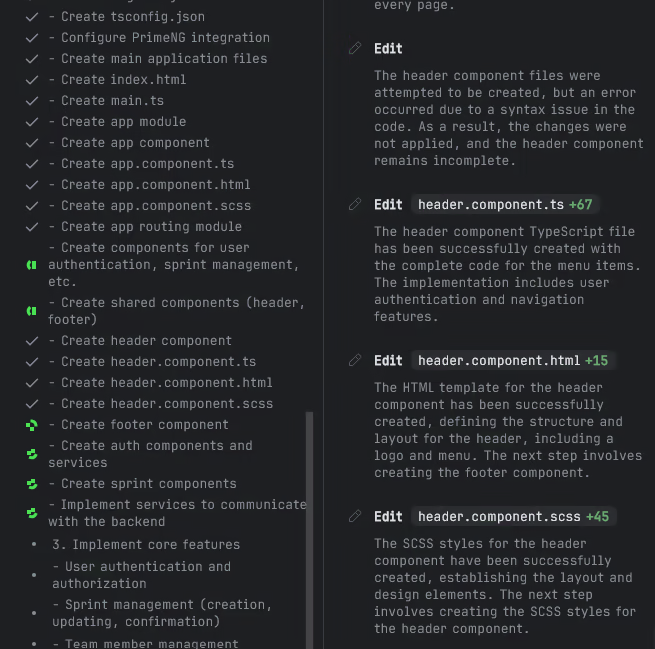
The whole thing looks something like this:
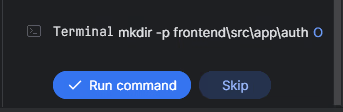
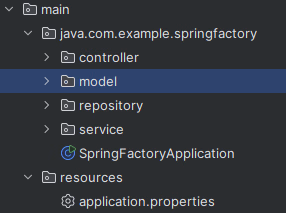
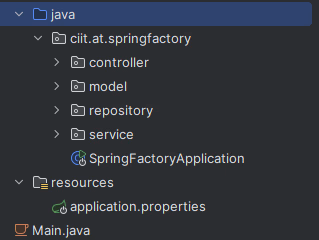
Once this task is completed, further follow-up tasks can be executed via the prompt. The resulting structure after processing by Junie looks like this:
The first task: Renaming the package
My first follow-up task is to put the package into ciit.Renaming .at.springfactory requires Junie to adjust all package paths. It will be interesting to see how this change is implemented in the classes.
Junie takes the user on a comprehensible journey through her planned changes.
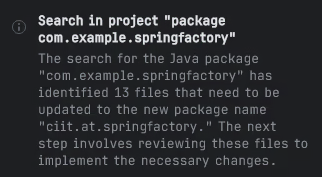
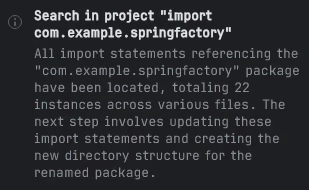
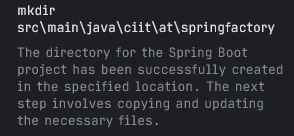
This takes a few minutes. In this case, a simple renaming would have been much faster.
Junie's approach is as follows:
- Create the folder ciit.at.springfactory
- Then create all subdirectories and copy the content over.
- Then adjust the packages and create the individual files.
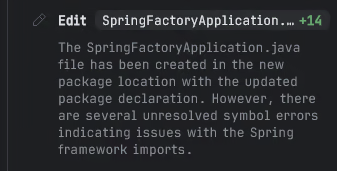
This expenditure of time and resources is obviously inefficient, as the entire process takes more than ten minutes.
How prone to errors is the application?
Next, I will attempt to launch the application for the first time. This will allow us to verify the robustness of the application created by Junie AI.
The result did not meet my expectations. Although the task was completed, it was merely a simple copying of the files, which could potentially lead to errors.
I performed this step manually to create the desired starting point. Finally, the Maven directory needs to be imported before we can begin.
Finally, we analyze the code.
Code analysis and a bumpy start
Upon first examining the entity, the Lombok annotation @Data immediately stands out. IntelliJ itself does not consider its use here to be ideal.

The reason for this lies in the potentially incorrect use of the `equals` and `hashCode` methods, as these should actually only consider the ID. This problem can be easily fixed by manually generating these two methods using IntelliJ.
The remaining entities appear to be in order at first glance. However, upon attempting to launch the application, I discovered that it was not possible. The integrated AI assistant quickly provided the solution: the NPM installation was missing. Furthermore, numerous other modules are also missing, and resolving this is now the programmer's task. In other words, my task!
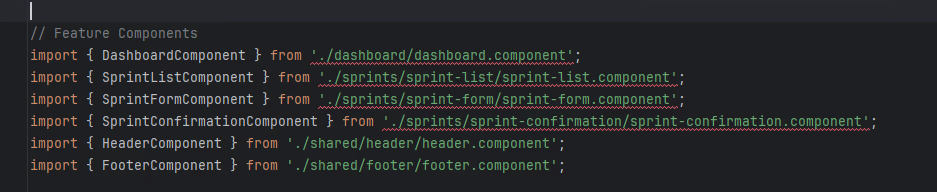
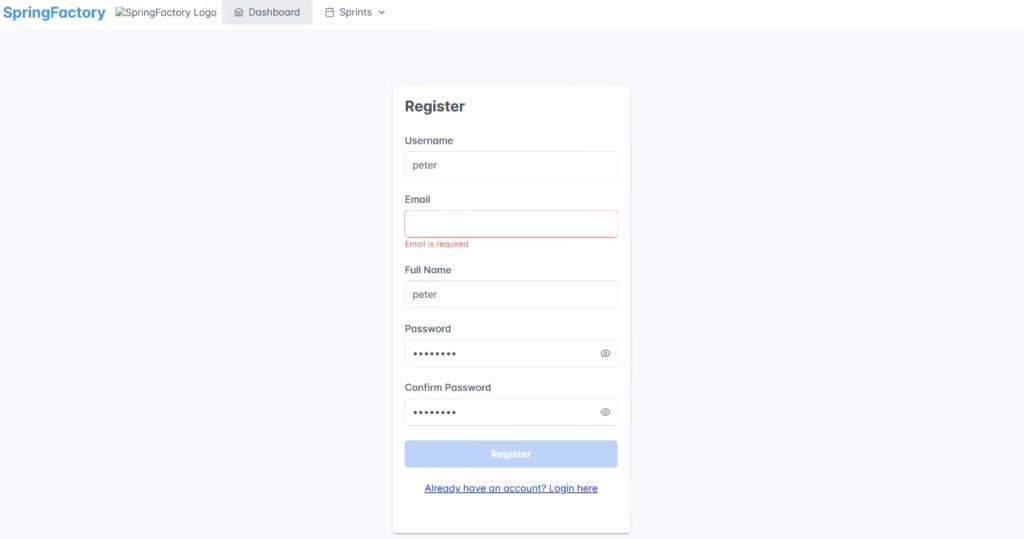
After cleaning up all the modules myself and fixing a few other minor issues, the application starts! What's immediately noticeable is that the UI urgently needs improvement, but that's now in my hands too.
The application's start screen displays the following:
Junie helps, but doesn't replace anything - My conclusion
Junie AI proves to be an extremely useful tool for smaller learning projects as well as for larger endeavors where high productivity is the goal. However, I also see potential problems, especially when these AIs are used by inexperienced programmers. The need to control and understand the code—for example, in the case of errors or when implementing performance optimizations—remains. Junior developers could rely too heavily on AI tools to generate code without truly understanding the underlying concepts and principles.
This can lead to difficulties in solving problems independently, debugging code, or making informed decisions about architecture and design. Entirely leaving these tasks to AI can lead to fatal problems later in development.
Troubleshooting and debugging code are crucial learning processes in software development. When AI tools automatically correct errors or suggest solutions without junior developers understanding the error and its cause, valuable learning opportunities are lost.
Therefore, I think junior developers should use AI as a tool to support and accelerate their work, but not as a replacement for learning the basics and developing their own skills.
Senior developers who rely too heavily on AI could, over time, neglect their direct programming skills and their deep understanding of low-level details. In critical situations where AI doesn't offer an adequate solution or a very specific problem arises, this could lead to difficulties. Senior developers are often responsible for the architecture and long-term maintainability of systems. AI-generated code must be seamlessly integrated into existing architectures and remain understandable and maintainable in the future.